SlideLizard 1.4 Update

22.08.18  •  #NewRelease

Contents

We got big news!


We have been hard at work shipping those features you have been asking for. With so much going on, we wanted to do a quick round up of all the new features we have released for you in the last 2 months:

Read on to learn more!


Live Slides

Following the presentation has never been easier! If the speaker switches to the next slide, all attendees are now automatically up to date.


Live Polls
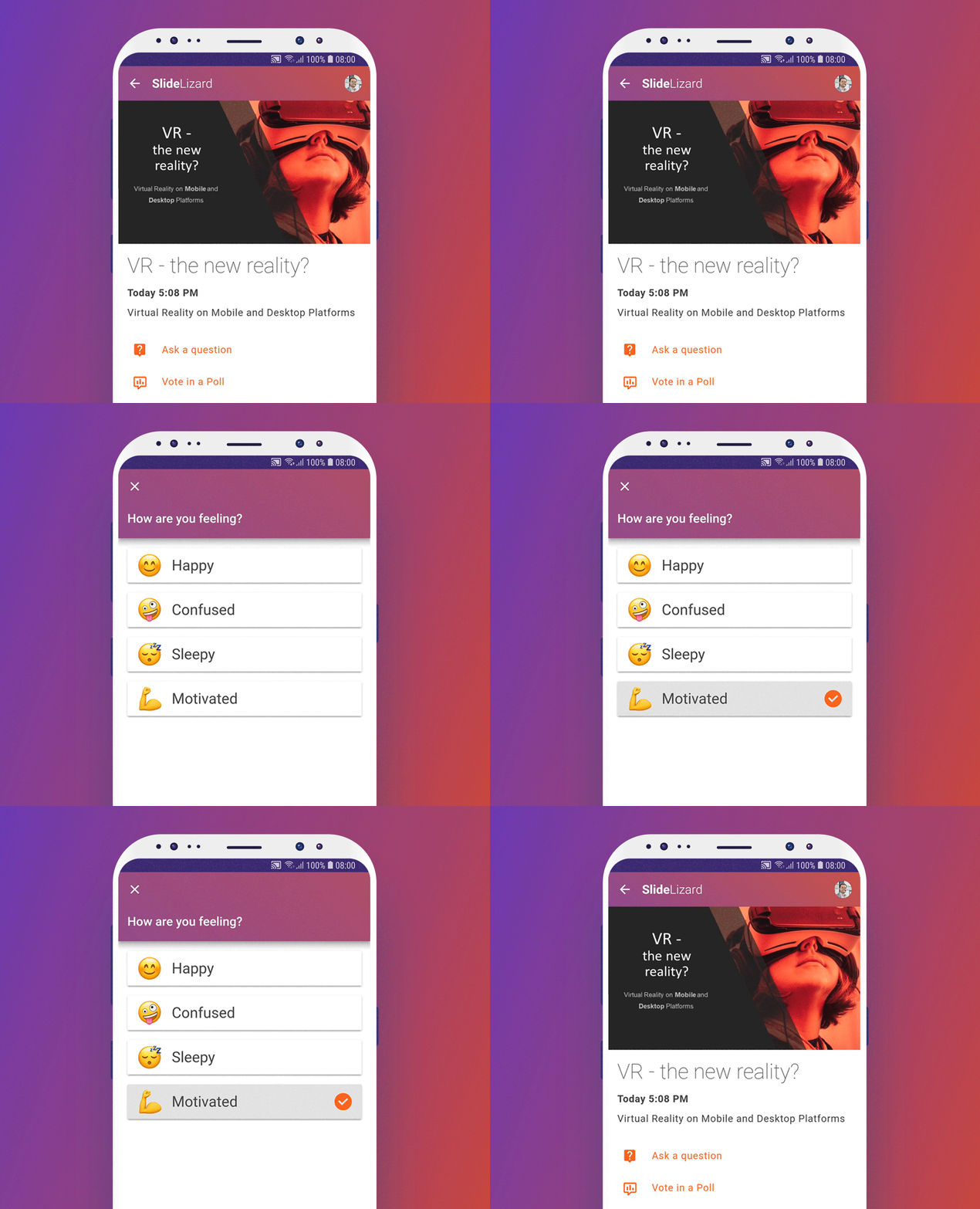
Want to know what your audience is thinking? Just ask them using our new Poll-Feature!


Ask your audience customized questions or use one of our predefined polls. Choose emojis or your own pictures to represent the answers and get a handy graph of your attendee's opinion!


Export Poll Results and Questions
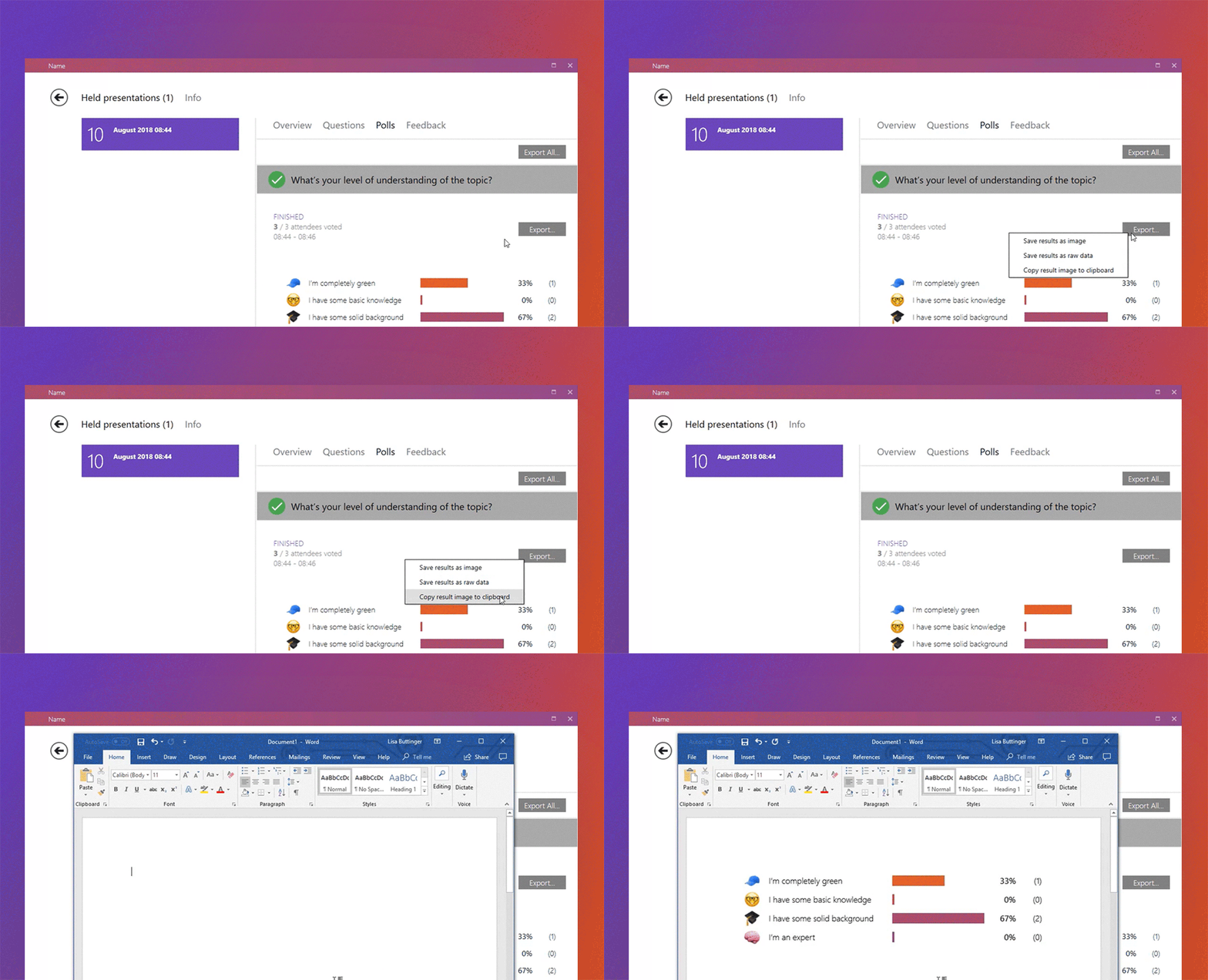
The results of your polls and the questions you've been asked can now be easily exported. Whether you prefer them as raw data for Excel or pretty diagrams for Word - it's up to you!


Password Protection
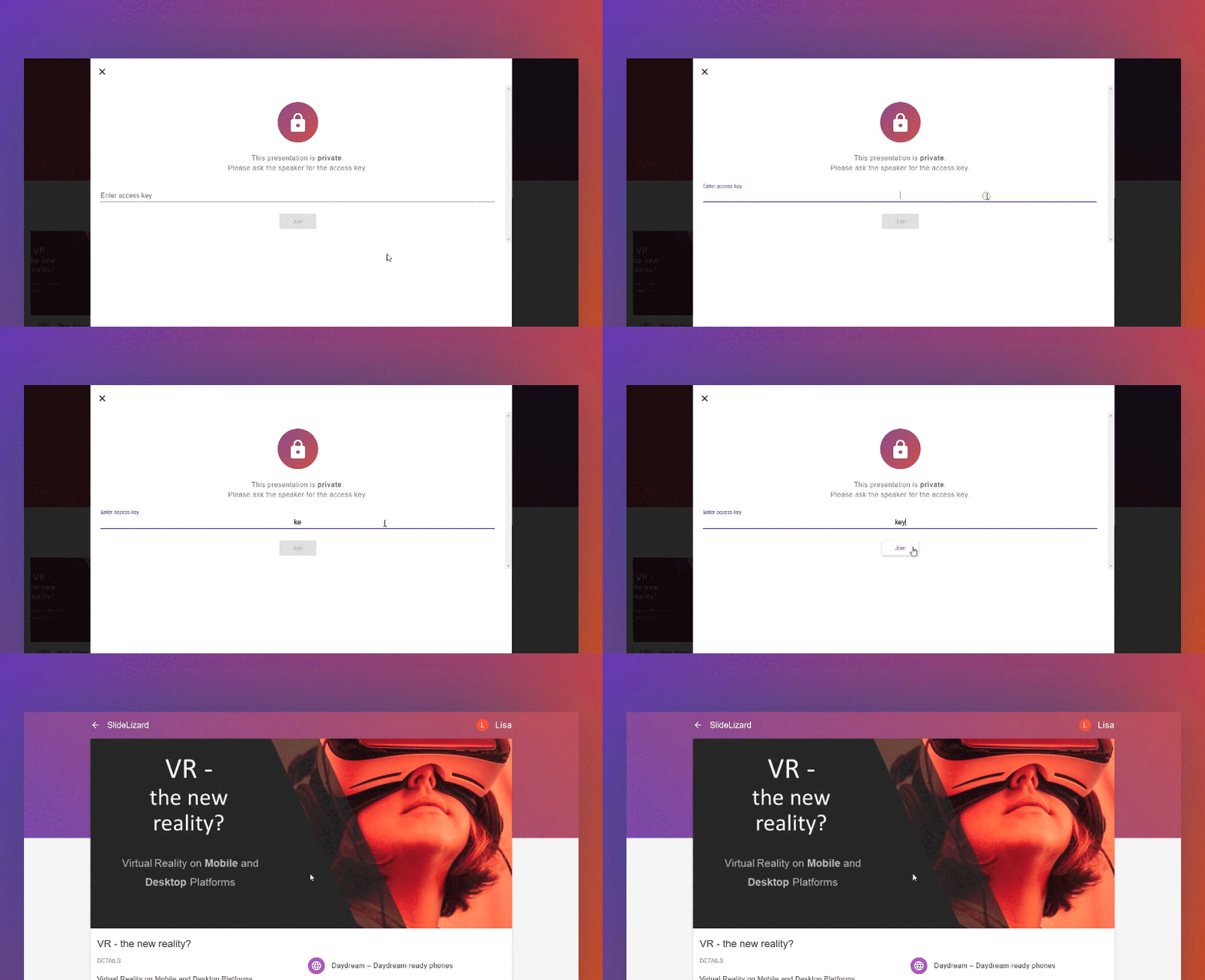
Don't want strangers passing by joining your presentation?

Protect your presentation with an access key! Attendees have to enter it after the presentation code if they want to join your presentation.


German Translation

Close Google Translate - you don't need it anymore:
We've now got a completely translated version for our german speaking users!


Enjoy!


To update the SlideLizard PowerPoint Add-In, just open PowerPoint and you'll get a update dialog.
Don't have it installed yet? Download it here.


About the author

Lisa Buttinger

Lisa is a graphic and web designer at SlideLizard.


Top blog articles
More posts

How to create a custom Theme design in PowerPoint

PowerPoint Quiz Templates - 10 free Quiz Designs

LIZ AI Produktbild
LIZ AI - Autopilot for PowerPoint

Your existing systems. Automatically orchestrated and centrally connected.

LIZ AI connects directly with your enterprise systems and automatically turns data into presentations. Content is intelligently generated, updated, and visualized directly in PowerPoint. Presentations are created in the background, stay up to date at all times, and automatically match your corporate design - without manual effort.

Learn more about LIZ AI

The Glossary for Presentations & AI

Face-to-face

Face-to-face communication refers to real-time interaction between two or more people who are physically present in the same location. It is considered the richest form of communication because it allows for immediate feedback and the full range of verbal and non-verbal cues — including body language, facial expressions, and tone of voice. In an increasingly digital workplace, face-to-face communication remains highly valued for building trust, resolving complex issues, and strengthening relationships.

Learn more

Chain of Thought

Chain of thought is an AI reasoning technique in which a model explicitly works through intermediate steps before arriving at a final answer. By laying out its reasoning step by step, the model produces more accurate and reliable outputs — especially for complex, multi-part problems. In agentic AI systems, chain-of-thought reasoning is used to plan workflows and make decisions at each stage of an agent loop. For enterprise applications, it increases transparency and makes AI behavior easier to audit.

Learn more

Normal view (slide view)

Normal View is the default editing mode in Microsoft PowerPoint. It displays the current slide in the center panel, a thumbnail panel on the left for navigating between slides, and a notes panel at the bottom for speaker notes. Normal View is where most presentation editing takes place — adding content, formatting text, inserting images, and adjusting layouts. It provides a clear, work-focused interface for building and refining individual slides.

Learn more

Vertical Communication

Vertical communication means that information is passed from one person to the next according to a linear system based on their titles. This type of communication is used when a company follows a hierarchical structure or for important, sensitive information.

Learn more

Be the first to know!

The latest SlideLizard news, articles, and resources,
sent straight to your inbox.

- or follow us on -